Cards and rarity · TCG Card Shop Simulator · read from a local copy
Building and editing a deck
A deck is kept as its own data, apart from the cards in the shop.
Decks in TCG Card Shop Simulator are put together in screens of their own: the game has a deck editor, a search and a compact summary, and keeps a deck apart from the cards on your shelves.
What the game establishes
- A deck is kept as its own data, apart from the cards in the shop. (checked against the game's own files)
- There is a deck editor with a plus-and-minus screen. (checked against the game's own files)
- Cards can be searched for and selected when building. (checked against the game's own files)
- A deck is also kept as a compact list of its cards. (checked against the game's own files)
- The game tracks the pool of cards available to build from. (checked against the game's own files)
- An empty play mat has an icon of its own. (checked against the game's own files)
- The plus-and-minus screen shows the deck count and the count already in an album, and has an amount input with a display of its own. (checked against the game's own files)
- The deck card editing panel has an empty slot for adding a new card, a count group and a count text of its own. (checked against the game's own files)
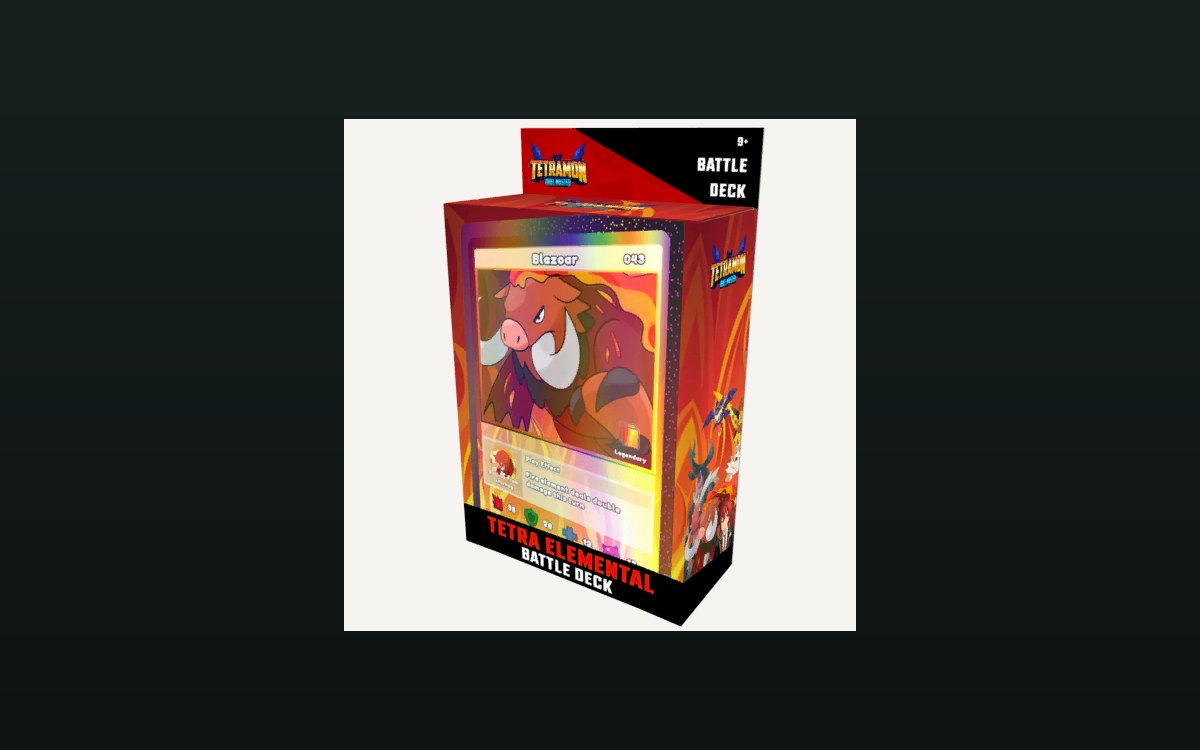
- The game ships preconstructed battle decks of its own, one per element. (checked against the game's own files)
- A preconstructed wind deck is shipped beside the fire and earth ones, and the box art names it as a battle deck. (checked against the game's own files)
- A water deck is shipped as well, in an elemental and a Destiny battle deck, each with box art of its own. (checked against the game's own files)
- A water precon deck is carried with a material and two icons of its own. (checked against the game's own files)
In play
A deck is something you build. The game keeps deck data apart from the cards in your shop, which is why one card can be stock and part of a deck at the same time.
It has an editor of its own. There is a deck edit panel with a plus-and-minus screen, which is how a deck gets assembled rather than being played straight out of the collection.
You can search for what to add. The game keeps card search data and a search card selection screen, so finding a card to put in is its own interface.
The deck is stored compactly. There is a compact list of the cards in a deck, which is why a deck can be shown as a summary instead of as a pile.
The pool is tracked as well. The game keeps a card pool, so what there is to build from is something the game accounts for rather than something you do.
The screen keeps count as you go. It shows how many of a card are already in the deck and how many are in an album, and it has an amount input with a display of its own, which is why what you are about to add is decided against what you already have.
Empty is a state of its own. The game ships an icon for an empty play mat, which is why a board with nothing on it is presented rather than simply blank.
The editing panel is built out of parts. It has a slot kept for adding a new card along with a count group and its own count text, which is why the panel can show an empty slot and a running count at the same time.
What this entry does not tell you: how many cards a deck holds, what the deck-building rules are, or what the pool contains. We have not verified those, so we do not print them.
Related
 Cards and rarityThe card game you can playPlayable card sets are defined by the game.
 Cards and rarityThe rules of the card gameThe card game ships with a rulebook screen of its own.
Version and sources
A local copy of the game, read only. Identifiers are listed on the technical reference pages; nothing here is estimated. Documented build: no version stated by this build.