Guide
Finding the card game's own screens
Which screens the card game in TCG Card Shop Simulator keeps behind one manager, and what the reveal screen is telling you while a pack is opened.
Applies to
no version stated by this build (see the sources page)
Before you start
- A deck to look at or edit
- A pack to open
- A game in progress if you want to practise
Steps
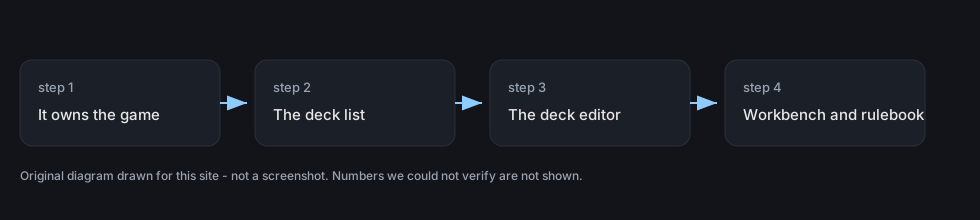
- Start from the manager rather than from a menu, because the card game is held by one.
the card game has a manager that holds the table game itself - Look for the deck list there.
it holds the deck list screen - Look for the deck edit screen in the same place.
it holds the deck edit screen - Expect a workbench screen as well.
it holds a workbench screen - Read the rules from the game itself rather than from memory.
it holds the rulebook screen - Watch the reveal screen's value readout while a card is turned over.
the reveal screen has a screen group of its own and a card's value has a group and a text - For a graded card, read the value before and after rather than only the result.
a graded card has a value group with a text for before and a text for after - Use the two arrows to tell a gain from a loss at a glance.
there is a green and a red arrow for the graded card's value
Common mistakes
- Hunting through menus for a screen the card game's own manager holds.
- Reading the graded value after the change without looking at what it was before.
- Missing whether a result was a gain or a loss because the arrows were not read.
- Learning the rules from memory when the game ships its own rulebook screen.
Related entries
 Decks and the card gameThe manager behind the card gameThe card game has a manager that holds the table game itself.
 Interface and screensThe reveal screenThe reveal screen has a screen group of its own.
 Cards and rarityThe card game you can playPlayable card sets are defined by the game.
Sources
A local copy of the game, read only. Grounding for each step is on the technical reference pages; no number is estimated.