Guide
Pricing a card from what you can see
How to price cards in TCG Card Shop Simulator using the tags, the price-check screen and the reveal, rather than from memory.
Applies to
no version stated by this build (see the sources page)
Before you start
- Cards you intend to sell
- Price tags to put on them
- A counter to check prices at
Steps
- Put a price on a card before it goes out on display.
cards carry their own price tags - Use the price-check screen rather than guessing at the counter.
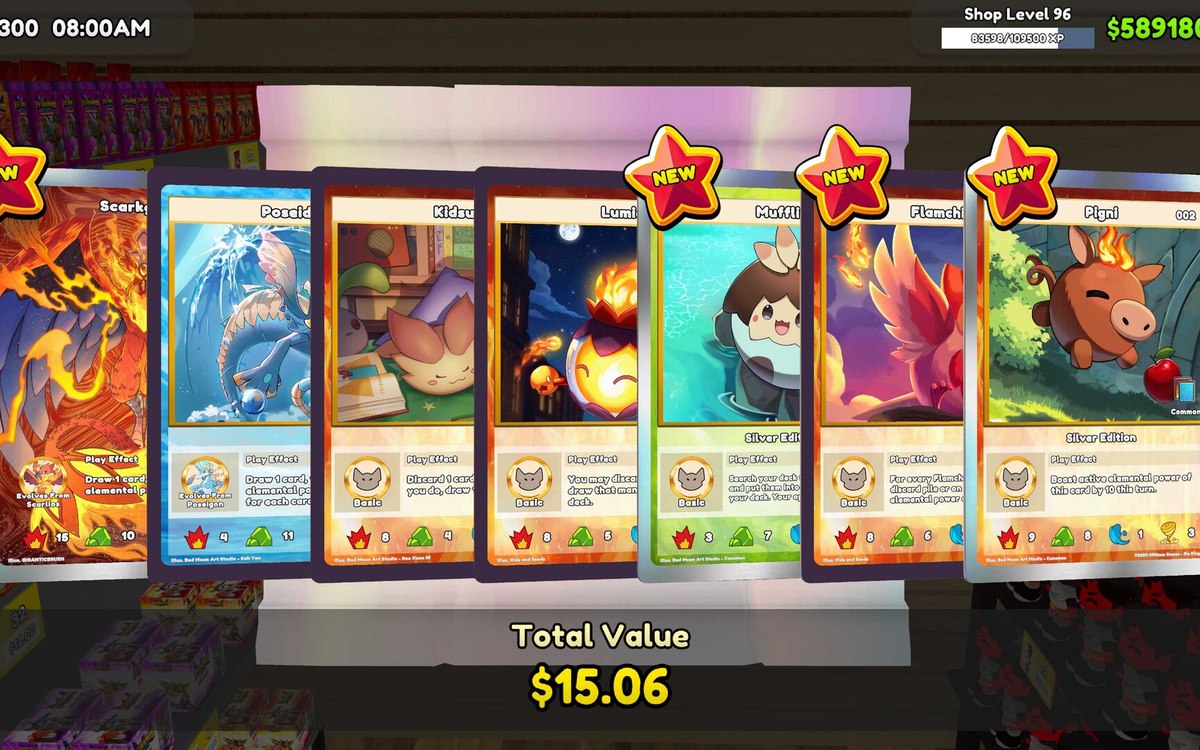
the game has a screen for checking a price - Price a card at the moment you open it, while you can still see it.
there is a price popup at the reveal - Take rarity into account as well as the card itself.
rarity is a fixed set of levels rather than a free number - Check the board for what you set rather than trusting your memory.
prices are shown on tags and a board of their own
Common mistakes
- Displaying a card with no price on it.
- Pricing from memory after the pack is gone.
- Assuming a higher rarity always sells for more.
Related entries
 Pricing and the marketPrices and price tagsPrice tags are their own objects attached to goods.
 Pricing and the marketReading the price boardItem prices are drawn as grouped lines in the interface.
Related guides
- Repricing stock that has stopped selling
How to change a price in TCG Card Shop Simulator after the first tag: read the move, reset it at the shelf, check the tag, then clear what will not sell.
Sources
A local copy of the game, read only. Grounding for each step is on the technical reference pages; no number is estimated.