Guide
Reading a price graph without guessing
How to use the price graph in TCG Card Shop Simulator: what the screen can show, how the line and its colours are drawn, what the lists of prices and days are for, and how a graded card gets a price of its own.
Applies to
no version stated by this build (see the sources page)
Before you start
- Stock you are unsure about
- A moment at the screen
- Enough history for a line to mean something
Steps
- Open the price graph rather than guessing a price, because the game has a screen for an item's price over time.
there is a screen dedicated to an item's price over time - Know that the same screen serves goods and cards, because it carries groups for both.
the screen has an item group and a card group beside its value group - Read what the screen says it is showing, because it names the item, the card and the card's grade.
the screen carries an item name, a card name and a card grade name - Expect the line to be worked out at run time rather than baked, because its start and end positions are calculated.
the graph has a start and an end point, each calculated into a position - Give the line a moment, because it is drawn with a speed and a divider rather than appearing all at once.
the line has a lerp speed and a divider of its own - Read the colour as the answer, because the graph keeps a positive, a negative and a neutral colour.
the graph has a positive, a negative and a neutral colour - Look at the lists behind the picture rather than only the line, because the prices and the days are kept as lists.
the graph keeps lists of price lines, dots, price texts and day texts - Check a graded card on its own line, because the screen keeps a quick-view price for graded cards.
the screen keeps a quick-view price text for graded cards - Switch the grade from the screen when the grade is what you are comparing.
the screen has a change-grade option screen and a list of change-grade buttons - Remember that the tag on the shelf is a separate thing, because floor price tags are objects of their own.
price tags on the floor are objects of their own
Common mistakes
- Guessing a price when the screen would have shown the history.
- Reading a card's line as if it were a shelf item's, when the screen keeps the two groups apart.
- Ignoring the colour and reading only the shape of the line.
- Forgetting that a graded card has a price of its own on the screen.
- Setting the shelf tag and expecting the graph to change on its own.
Related entries
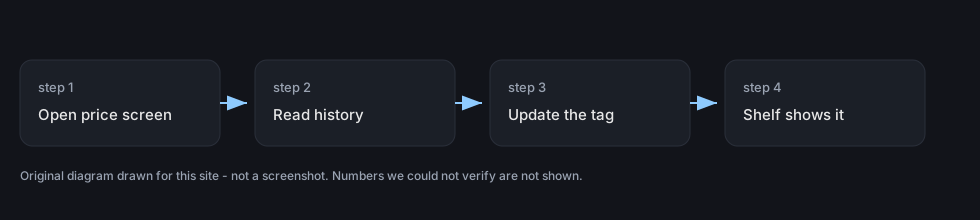 Pricing and the marketPrice history and graphsThere is a screen dedicated to an item's price over time.
 Pricing and the marketPrices and price tagsPrice tags are their own objects attached to goods.
 Pricing and the marketReading the price boardItem prices are drawn as grouped lines in the interface.
Sources
A local copy of the game, read only. Identifiers are listed on the technical reference pages; nothing here is estimated.