Guide
The pictures the game draws on screen
Where the prompts, the card artwork and the animated crowd in TCG Card Shop Simulator come from, so what is on screen can be read for what it is.
Applies to
no version stated by this build (see the sources page)
Before you start
- A shop with customers in it
- Cards on show
- A controller or keyboard if you want to compare prompts
Steps
- Read a prompt from the interactable's own list rather than from a global key map.
an interactable carries a list of input displays, with a second list for controller-only displays - Expect a click and a hold to look different.
the game ships a picture of a left mouse click and another for holding the button - Expect named keys, and a plain key picture when a key has no name.
it ships a plain key picture as well as named key pictures covering control, tab and shift - Know that a card on screen is laid out by a settings object rather than by the card.
a card is drawn by a settings object that holds its border, background, rarity and front pictures as lists and masks the art to a card shape - Expect the colouring to come from the settings rather than from the art.
the settings carry a background colour for a card without foil and a different one for a foil card, with separate colours for the evolution, play-effect and description backgrounds - Know that a crowd can be animated from a baked set rather than a live rig.
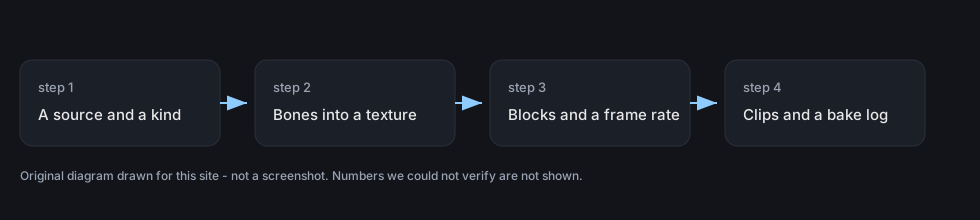
a baked set is built from a source prefab and an archetype and keeps the bones as a texture - Expect the bake to be laid out in blocks with a frame rate of its own.
it is laid out in blocks with block and texture sizes and runs at a frame rate of its own - Know that a baked set can be inspected later.
the set keeps its clips, CPU copies of the bone transforms and a bake log recorded with the set
Common mistakes
- Expecting a controller prompt where only a keyboard one was set up.
- Assuming the card's look lives on the card rather than in a settings object.
- Reading a crowd's movement as one animation per character.
- Treating a baked animation as something that cannot be looked into.
Related entries
 Interface and screensThe picture the game draws for a controlAn interactable carries a list of input displays, with a second list for controller-only displays.
 Cards and rarityThe settings that draw a cardOne settings object decides which parts of a card are shown and which are left out.
 Customers and tradingHow a crowd is animated from a baked setA baked set is built from a source prefab and an archetype.
Sources
A local copy of the game, read only. Grounding for each step is on the technical reference pages; no number is estimated.