
Cards and rarity · TCG Card Shop Simulator · read from a local copy
The settings that draw a card
One settings object decides which parts of a card are shown and which are left out.
A card on screen in TCG Card Shop Simulator is laid out by a settings object of its own: it decides which parts are shown, holds the border, background, rarity and front pictures as lists, masks the art to a card shape, colours a foil card differently and gives every part a position and a scale.
What the game establishes
- One settings object decides which parts of a card are shown and which are left out. (checked against the game's own files)
- It can use a full background or a layered one, and can show fade bars and glitter on the centre, the lower centre and the border. (checked against the game's own files)
- There is a group for the evolution and artist name, and a stats group with a stat picture and its own position and scale. (checked against the game's own files)
- The border, background, border, rarity and front pictures are kept as lists, with a short name and a full name for each border. (checked against the game's own files)
- Two masks shape the artwork: one for the centre frame and one for the border. (checked against the game's own files)
- There is a background colour for a card without foil and a different one for a foil card, plus separate colours for the evolution, play-effect and description backgrounds. (checked against the game's own files)
- Each part carries a position offset and a scale offset of its own, from the centre frame and the front image through the name, number, edition and stats group to the evolution, description and artist name groups. (checked against the game's own files)
- Foiling uses four materials: plain and blended, each in a tangent view and a world view. (checked against the game's own files)
- Each of the four stats can be shown or hidden on its own. (checked against the game's own files)
- A card's own interface part holds the four stat texts and a flag for showing a 2D graded case. (checked against the game's own files)
- Each stat also carries its own position offset and scale offset. (checked against the game's own files)
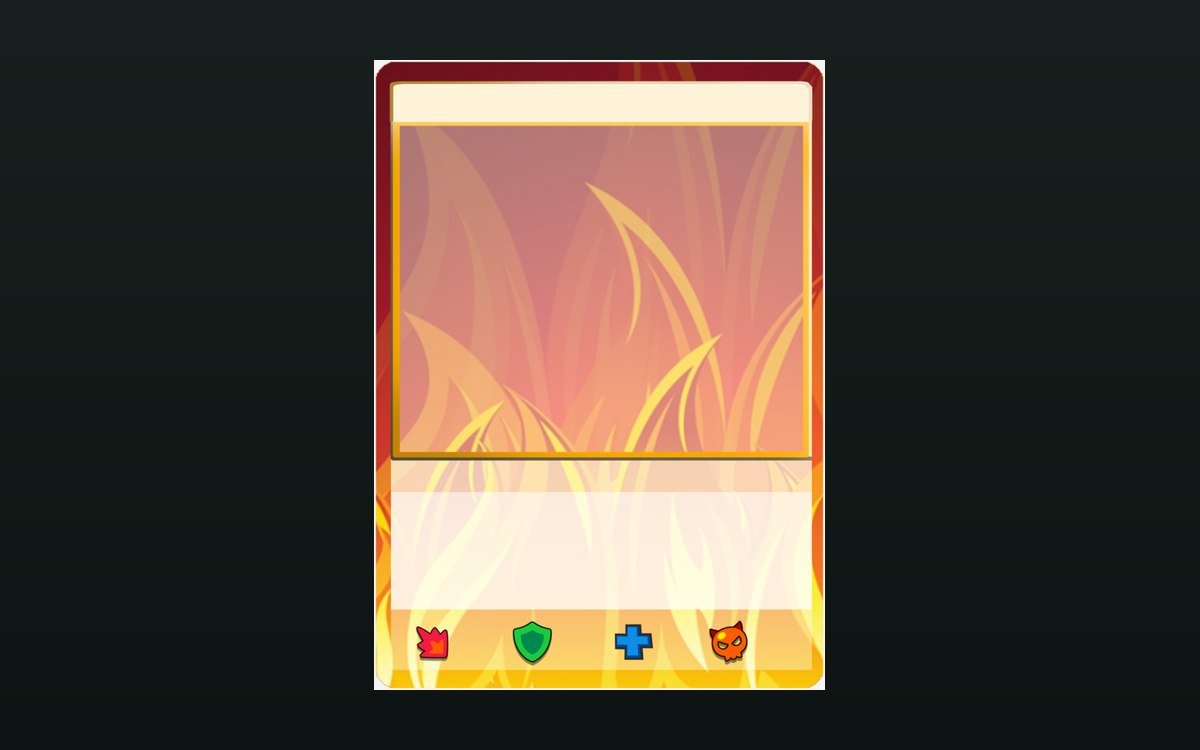
- The game ships a golden border picture and a fire background picture for its cards. (checked against the game's own files)
- A background is shipped per element as well, with air, water and earth pictures among them, plus one for the later Destiny set. (checked against the game's own files)
- The game ships colour card icons of its own for the colouring of a card, in blue, red, green and yellow. (checked against the game's own files)
In play
The card you see is laid out by a settings object rather than drawn by the card itself. The game keeps one place that decides which parts of a card appear: the front, the border, the name, the number, the rarity and the edition each have a switch of their own.
It decides what is left out as well. The same settings say whether a full background or a layered one is used, whether the front is drawn on a top layer, whether the group carrying the evolution and the artist name is shown, whether the fade bars at the top and the bottom are on, and whether glitter appears on the centre, the lower centre and the border.
The artwork is kept as lists. There is a list of acceptable borders, a list of backgrounds, a list of border pictures, a list of rarity pictures and a list of front pictures, with a short name and a full name for each border, which is why a look can be swapped without a new card being made.
Two masks do the shaping, one for the centre frame and one for the border, so artwork is cut to the shape of a card rather than pasted on as a rectangle.
Colour is part of it. There is one background colour for a card without foil and a different one for a foil card, along with separate colours for the evolution background, the play-effect background and the description background.
Everything is placed by an offset. The centre frame, the front image, the centre image group, the name, the number, the edition, the stats group, the evolution and artist name group, the evolution group, the description group and the artist name group each carry a position and a scale of their own, which is why the parts line up the same way on every card.
A card also carries a small part that shows this. It keeps the four stat texts the settings decide to show, along with a flag for whether a graded card is drawn as a flat 2D case rather than as the 3D one, which is why the same settings can present a card on a shelf and in a hand.
There is a stat picture and a stats group, so the numbers a card carries in play have somewhere to be drawn rather than only existing as values.
Foiling gets four materials of its own: a plain version and a blended version, each in a view that follows the card's own surface and a view that stays in the world.
The colour comes from a set of icons. The game ships one colour card icon per colour it can colour a card with, and the set runs through blue, red, green and yellow, which is why the colouring is picked from a family of pictures rather than mixed.
The pictures beside this entry are the game's own: the colour card icons it uses for the colouring of a card, one of the border pictures it ships and the card backgrounds it draws each element with.
What this entry does not tell you: how many borders or backgrounds exist, which one a given card uses, or what a finish is worth. We have not verified those numbers, so we do not print them.
Related
 Cards and rarityHow a card front is builtThe game ships a card front for each element.
 Shop, shelves and fixturesThe wall and floor finishes for your shopThe material of a wall and the material of the bar along it are kept separately.
Version and sources
A local copy of the game, read only. The grounding for each fact is listed on the technical reference pages; nothing here is estimated. Documented build: no version stated by this build.