Guide
What the game writes down for you
How TCG Card Shop Simulator records a shop: which parts are saved by kind, which lists hold what the shop shows and owns, and why an inventory points at those lists instead of holding its own numbers.
Applies to
no version stated by this build (see the sources page)
Before you start
- A shop with shelves and stock in it
- Access to the save slots
- A moment before changing the layout
Steps
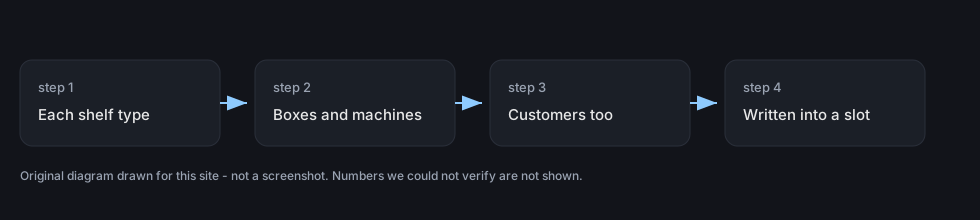
- Know that your shop is written down by kind rather than as one block, because each kind of shelf has a save record of its own.
each kind of shelf has its own save record - Expect a shelf that holds cards and products together to be recorded separately, because it has a record of its own.
a shelf that holds cards and items together keeps a record of its own - Remember what the machines were doing, because the automatic pack opener is saved as well.
the automatic pack opener is saved as well - Do not unpack boxes before saving if you care about what is inside them, because packaging boxes keep their own record.
packaging boxes have a save record of their own - Expect the people to be written down too, because customers are saved as records of their own.
customers are written down as records of their own - Save deliberately rather than by quitting, because saving and loading has a panel of its own with a slot index and a save control.
saving and loading has a panel of its own with a slot index and a save control - Know that one list holds the shop's own objects, furniture and decorations, split by the surface they go on.
one data object holds objects, furniture and decorations split by surface - Know that another list decides what your shop puts on show, including accessories, figurines and board games.
another object holds what the shop shows, including item kinds, accessories, figurines and board games - Look there for the card side as well: which sets and collection packs are shown, and the list of card packs.
it also holds which card sets and collection packs are shown, and a list of card packs - Expect restock and event data to live on the same object rather than in separate files.
the restock data and the game event data are kept in the same object - Check the cost multipliers there before planning upgrades, because shelf unlock and upgrade costs are values on it.
the shelf unlock and upgrade cost multipliers are values on it - Remember that images are held as lists too, and that an inventory points at these objects rather than holding its own numbers.
it carries image lists and an inventory points at the data objects rather than holding the values itself
Common mistakes
- Quitting instead of saving, when the game has a save panel with a slot and a control of its own.
- Being surprised by a box's contents after a reload, when packaging boxes have their own record.
- Looking for the shop's lists in several files when they live on two data objects.
- Planning a shelf upgrade without looking at the cost multipliers the data carries.
Related entries
 Shop, shelves and fixturesWhat the game writes downEach kind of shelf has its own save record.
 Storage and stockWhere the shop's lists liveOne data object holds the objects, the furniture and the decorations split by surface.
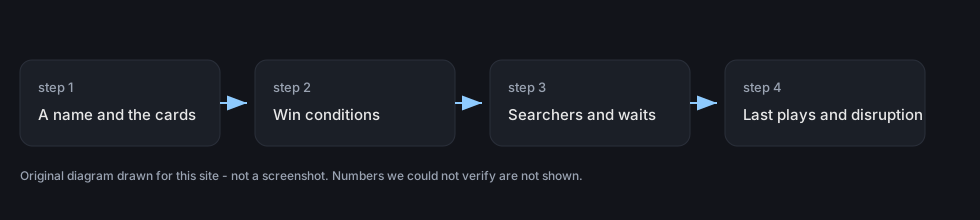 Decks and the card gameWhat the game records about a deckA recorded deck has a name, a list of monster kinds and its card data.
Sources
A local copy of the game, read only. The grounding for each step is listed on the technical reference pages; nothing here is estimated.