Guide
Reading why a price moved
How to use the kinds of price change in TCG Card Shop Simulator: what the game names as a reason, why foils, borders and elements show up on that list, and where to look before buying into a move.
Applies to
no version stated by this build (see the sources page)
Before you start
- A shop with cards in it
- The price board or a tag within reach
- A restock decision to make
Steps
- Treat a price move as something the game records rather than as a random wobble, because changes are managed as their own system and labelled in the interface.
price changes are managed as their own system and their kinds are labelled - Read the change where it is shown instead of from memory, because price information can be put in front of you.
price information can be shown where the player is - Expect a change to name the pack a card came out of, per rarity, because there are kinds for each pack tier.
the kinds include a common, rare, epic and legend pack card - Do not assume the rarity is fixed: a pack can move a rarity at random, and there is a kind for a pack with no common card as well.
a random rarity pack card and a none-common pack card are kinds of their own - Check the element when a card moves, because fire, earth, water and wind each have a kind and there is a random element too.
element kinds exist for fire, earth, water and wind, plus a random element - Check the border as well, because silver, gold, ex and full art borders each have a kind and there is a random border.
border kinds exist for silver, gold, ex and full art, plus a random border - Check whether the card is a first edition, a foil or not a foil, because all three are kinds of change.
first edition, foil and non-foil are kinds of their own - Remember that a random effect and a figurine are on the same list, so a move is not always about the card's printing.
a random effect and a figurine are kinds on the same list - Check which set the card belongs to, because the expansion's own cards carry a kind of change.
there is a kind for the expansion's own cards - Look at the history rather than the last number, and keep the current and the past percentages apart.
there is a screen for an item's price over time and the game keeps current and past percentage changes
Common mistakes
- Buying into a price that moved for a reason that will not last, like a single pack's rarity roll.
- Ignoring element, border, first edition and foil reasons and treating every move as demand.
- Reading only the current percentage and not the past one, when the game keeps both.
- Assuming a move is about the card's printing when a random effect or a figurine was the reason.
Related entries
 Pricing and the marketPrices and price tagsPrice tags are their own objects attached to goods.
 Pricing and the marketPrice changes and cash at the counterPrice changes are managed as their own system.
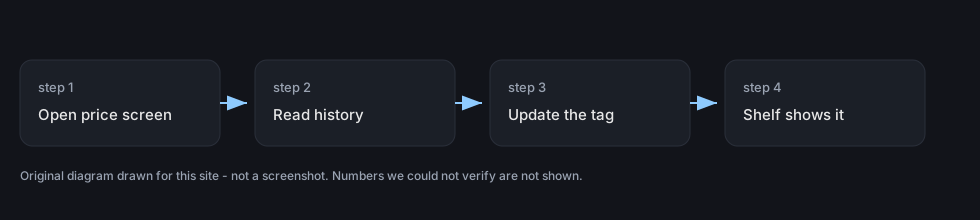 Pricing and the marketPrice history and graphsThere is a screen dedicated to an item's price over time.
Related guides
- Repricing stock that has stopped selling
How to change a price in TCG Card Shop Simulator after the first tag: read the move, reset it at the shelf, check the tag, then clear what will not sell.
Sources
A local copy of the game, read only. The grounding for each step is listed on the technical reference pages; nothing here is estimated.